
AI Content Creation Workflow: A Week of Content With Claude and CapCut

Keeping up with social media can feel like a full-time job, especially when you’re juggling content ideas, recording videos, editing clips, writing captions, and lining up posts for the week.
Before you know it, hours have slipped by, and you’re still scrambling to get everything ready. The good news is that you can take some of that pressure off by combining Claude’s content planning and writing capabilities with CapCut’s video editing tools.
This guide walks you through an AI content creation workflow for turning one longer recording into a week of social posts. You’ll learn how to plan distinct ideas, select useful clips, edit videos in CapCut, and use Claude to prepare captions before scheduling.
Claude & CapCut: What Each Tool Does Best
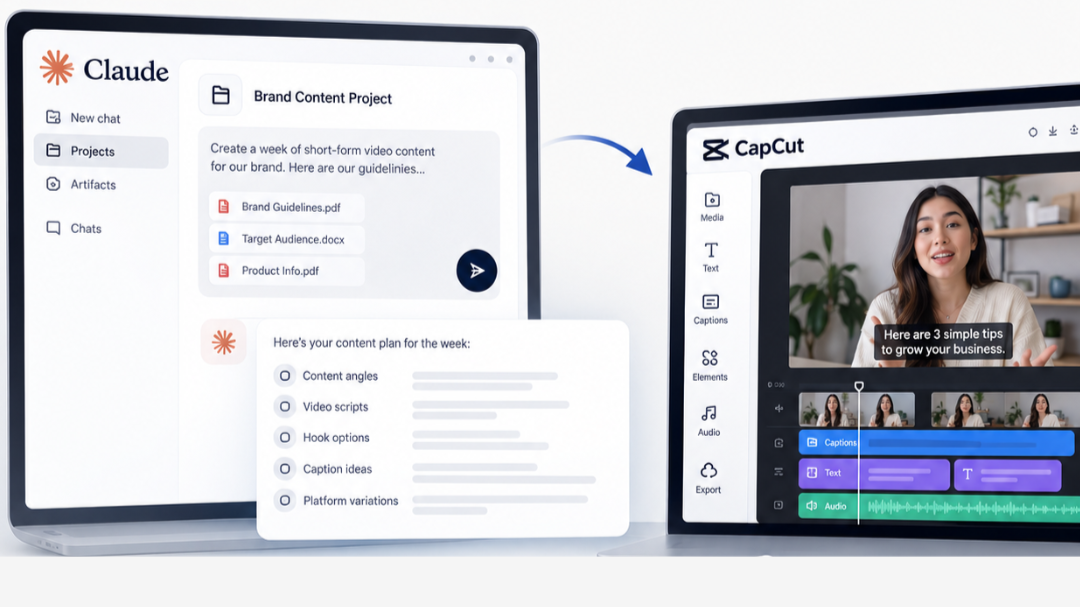
Claude and CapCut solve different parts of the content production process, which is why they work well as a pair. Here’s how you can use both tools together:
Claude for Planning, Writing, and Content Decisions
When using Claude for content creation, provide specific information about your brand, audience, and goals rather than a vague request for social posts. A marketer can provide the target audience, brand voice, campaign goal, core topic, approved claims, examples of previous content, and any subjects that should be avoided. Claude can then help develop content angles, scripts, opening hooks, supporting points, caption ideas, and platform-specific variations.
Once a transcript has been generated and reviewed, it can identify sections that contain clear standalone ideas, compare possible openings, suggest cuts, and organize potential clips around audience needs. If timing information is included in the supplied transcript, Claude can also reference it when preparing a proposed cut list, although those timestamps should be checked against the original footage before editing begins.
CapCut Video Editing: From Footage to Finished Clips
Use CapCut to turn the selected footage into finished clips through trimming, captioning, reframing, and final adjustments. CapCut can generate automatic captions from spoken audio, and users can correct the text, timing, segmentation, placement, and styling before export. Its transcript-based editing tools can also connect transcript changes with cuts in the video timeline, which can make it easier to remove unnecessary sections without repeatedly scrubbing through the entire recording.
For vertical social content, CapCut also provides aspect-ratio controls and reframing options that can adapt horizontal footage to a 9:16 canvas.
Keep Human Judgment in the Workflow
AI can reduce repetitive decisions, but the person responsible for the content still needs to approve what audiences see. A suggested hook may sound strong but misrepresent the point that follows, and a proposed clip may lose essential context when separated from the longer conversation. Captions can also misread names, numbers, acronyms, and technical terms.
The strongest AI content creation workflow therefore includes review at several points. Someone should check the script before recording, confirm the selected clips against the footage, review captions after editing, and inspect the final post copy before anything is scheduled.
Read more: How to Make AI Ads With Claude and Meta
Step-by-Step AI Social Media Content Creation With Claude and CapCut
Before you begin, gather your brand guidelines, supporting materials, and any existing footage. Choose the platforms you’ll publish on and decide who will approve the finished posts.
Step 1. Set Up Claude for Your Brand
Before you start creating content, give Claude a clear picture of your brand, audience, and communication style so you spend less time correcting generic drafts later. Add your brand guidelines, target audience, products or services, key messages, and examples of previous posts to a Claude Project, allowing you to reuse the same context across different content tasks. For instance, if your brand speaks to small business owners in a friendly, practical tone, share a few examples that reflect that style and explain which phrases or approaches to avoid.

A simple setup checklist can include:
Brand voice: Tone, preferred wording, and phrases to avoid.
Target audience: Their common questions, challenges, and interests.
Content goals: The topics, platforms, and actions your posts should support.
Reference materials: Existing scripts, successful posts, and relevant brand information.
Once the context is in place, ask Claude to develop reusable instructions for writing scripts, generating hooks, reviewing transcripts, and drafting captions. This gives you a consistent starting point for future content batches without having to explain your brand from scratch every time.
Step 2. Plan a Week of Content Before Recording
A strong social media content batching process begins with one topic that can support several genuinely different angles. If the core topic is "why Google Ads campaigns waste budget," Claude could help develop a clip about a common setup mistake, another about keyword intent, another about landing-page alignment, a fourth answering a frequent client question, and a fifth explaining what to review before increasing spend.
Ask Claude to arrange the ideas into a weekly publishing schedule, then check that your recording outline covers each planned post. The example below assumes seven publishing days; adjust the schedule to your posting frequency and the number of distinct ideas you can cover well.
| Day | Content idea | Format | Goal |
|---|---|---|---|
| Monday | Explain a common problem your audience faces | Educational video | Build awareness |
| Tuesday | Share three practical tips related to your topic | Quick-tip video | Provide value |
| Wednesday | Break down a process step by step | Tutorial | Build trust |
| Thursday | Address a frequently asked question | Q&A video | Answer audience concerns |
| Friday | Correct a common misconception | Myth-busting video | Encourage discussion |
| Saturday | Share a real example, demonstration, or lesson learned | Story or case study | Show practical experience |
| Sunday | Summarize key takeaways and recommend a next step | Recap video | Encourage action |
With the schedule in place, you can ask Claude to draft scripts, suggest alternative hooks, and list any supporting visuals you’ll need before filming. This preparation keeps your recording session focused and gives you a clear plan for turning one topic into a week of varied, purposeful content.
Step 3. Record Once With Repurposing in Mind
A longer recording becomes easier to repurpose when it is organized into clear sections. The speaker can pause between major ideas, restate the subject at the beginning of a new section, and leave enough space around key points for clean cuts. Alternative takes can also provide options if the first version feels awkward in a short-form edit.
Visual planning matters too. If one segment refers to a dashboard, product, example, or screen demonstration, capturing that supporting material during the same session can give the editor useful cutaways later.
A 30 to 40-minute recording may contain enough substance for several short videos, but duration alone does not determine the final output. Thirty minutes of repetitive discussion can produce fewer usable clips than a shorter recording built around five clearly separated ideas.
Step 4. Use Claude to Identify the Strongest Clips
Once the recording is complete, CapCut can produce the initial transcript. CapCut's automatic caption and transcription features can convert speech into editable text, although transcription mistakes should be corrected before the text is treated as a reliable source.
Supply the corrected transcript to Claude by pasting the text or attaching a supported text document. Include speaker labels and timestamps where available, along with the target audience, intended platforms, and preferred clip length. Ask Claude to rank possible clips by opening strength, standalone value, clarity, usefulness, and audience relevance.
If the transcript has no timestamps, ask Claude to identify each proposed clip by its exact opening and closing words. Locate those lines in the original recording and confirm the cut points manually.
A practical cut list might contain the proposed start and end points, the opening line, the central idea, suggested cuts, and a short explanation of why the section deserves to become a standalone video. Timing information should be treated as a guide until someone confirms it against the original recording.
Step 5. Edit and Polish Your Videos in CapCut
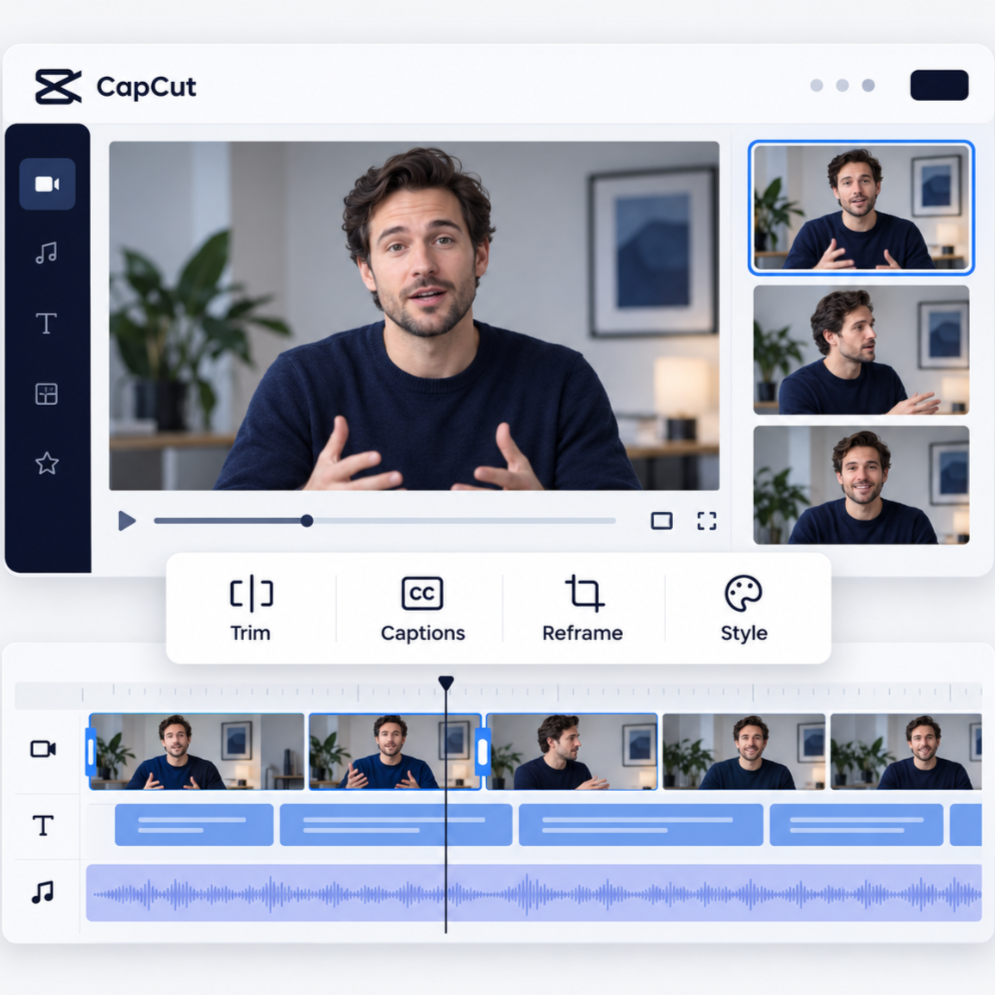
The strongest clip idea can still fall flat if the editing removes context or creates an unnatural pace. CapCut can be used to trim repeated phrases and unnecessary pauses, adjust the sequence, add captions, reframe the footage, and apply consistent text styling across the batch.
Automatic captions deserve particular attention because speech recognition can misinterpret words due to accents, background noise, audio quality, or fast delivery. CapCut allows manual correction of generated captions, so names, figures, industry terminology, and product references should be checked before export.
The opening seconds also need a final watch. The first line should make sense without information that appeared earlier in the long recording, and the visual should support the topic immediately. Audio quality, caption placement, pacing, and framing should then be reviewed together because a technically clean edit can still feel awkward when those elements compete for attention.
Step 6. Use Claude to Write Captions and Prepare Posts
After the video is locked, Claude can use the final transcript to draft platform-specific captions, titles, descriptions, and calls to action. This stage works better after editing because the caption should describe the video viewers will actually receive, not an earlier version of the script.
For AI social media content creation, platform context also matters. A LinkedIn caption may need enough explanation to frame the business lesson, whereas an Instagram Reel caption can stay tighter and support the video with a clear takeaway. The goal is to adapt the packaging without changing the meaning of the clip.
Step 7. Review and Schedule the Finished Posts
Add each approved video and its final post copy to your chosen scheduling tool, or schedule through the platform where that option is available. Check the account, publishing date, time zone, cover image, links, and available platform settings. Preview each post before scheduling and confirm that the caption matches the attached video..
A Sample Workflow for Turning One Recording Into a Week of Content
The table below summarizes the handoffs between planning, recording, editing, and scheduling. Each stage should produce an approved asset that the next stage can use.
| Stage | Main tool | Output |
|---|---|---|
| Brand setup and planning | Claude | Content brief, angles, scripts, hooks |
| Recording | Camera or recording tool | One longer recording |
| Transcription and clip selection | CapCut + Claude | Transcript, ranked clip ideas, cut list |
| Editing and captions | CapCut | Finished short-form videos |
| Post packaging | Claude | Captions, titles, calls to action |
| Scheduling and approval | Content calendar or scheduler | Approved posts ready for publication |
Consider a 35-minute recording about improving a company's paid search results. One section could explain a common campaign structure mistake, another could show how search intent changes keyword decisions, and another could answer a frequent question about budget. A fourth section might demonstrate a landing-page issue, and another could give viewers a short account-review process.
Claude can help separate those themes after reviewing the transcript, and CapCut can turn the strongest sections into polished videos. The actual number of publishable clips depends on how clearly the ideas were delivered and how much useful material exists in the original recording, so the goal should be quality and variety instead of reaching a predetermined clip count.
Claude Prompts for Planning, Clip Selection, and Captions
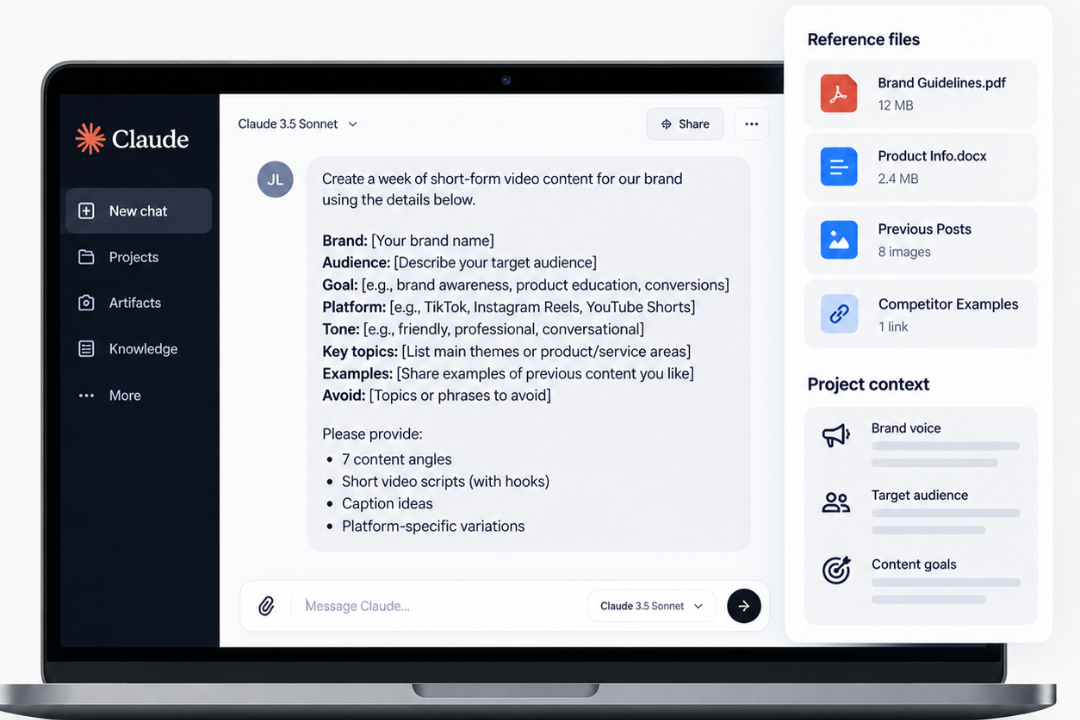
Use these prompts in Claude to plan the content and prepare editing instructions for your work in CapCut. Replace the bracketed fields with your brand, audience, and content details.
Prompt 1. Generate a Week of Content Ideas
I am creating short-form content for [brand] aimed at [audience]. Our main topic is [topic], and the goal is [content goal]. Develop seven distinct short-form video ideas based on the audience's questions, problems, interests, and likely objections. For every idea, provide the angle, intended viewer, key takeaway, suggested opening hook, and three supporting points. Keep the ideas meaningfully different and avoid repeating the same lesson with different wording.
Prompt 2. Find the Best Moments in a Transcript
Review the transcript below and identify the strongest potential short-form clips. Rank them based on opening strength, clarity, standalone value, usefulness, and relevance to [audience]. For every recommendation, include the opening line, central point, reason for selecting it, and suggested ending. Use timestamps only if reliable timing information appears in the transcript. Flag any section that loses important context when separated from the full recording or needs manual verification.
Prompt 3. Build a Short-Form Editing Plan
Using the transcript and selected clips below, create an editing plan for every short-form video. Include the suggested opening, transcript sections to retain, sections that can be cut, the main supporting points, and any areas requiring human review. Preserve the speaker's intended meaning and do not remove context that viewers need in order to understand the claim or recommendation.
Prompt 4. Write Captions for Different Platforms
Using this final video transcript, create separate captions for [platforms]. The brand voice is [description], the intended audience is [audience], and the desired action is [CTA]. Make the caption accurate to the finished video, vary the opening across platforms, and keep the tone appropriate for the channel. Avoid unsupported claims, irrelevant hashtags, repetitive hooks, and any wording that changes the meaning of the video.
Read more: How to Use Claude for Instagram Content That Feels Human
Common Mistakes to Avoid
Even with a clear workflow, a few habits can reduce the quality of the final content. The biggest problems usually come from trusting automated suggestions too quickly, repeating the same format across every post, or focusing on speed at the expense of context and accuracy.
Publishing every AI suggestion without review: Claude may identify a clip that sounds strong on its own but depends on information that appeared earlier in the recording. Automated captions can also misread names, numbers, industry terms, or product references. Every clip should be checked against the original footage so the final post keeps the speaker’s intended meaning and does not introduce inaccurate claims.
Making every video sound the same: A week of content becomes repetitive when every clip uses the same hook, structure, pacing, and takeaway. A stronger batch includes different formats, such as a common mistake, a practical tip, a customer question, a short demonstration, or a step-by-step explanation. That variation gives the audience different reasons to engage with the content across the week.
Overediting short clips: Tight editing can improve pacing, but removing too many pauses or transitions can make speech feel unnatural and strip away context that the viewer needs. The goal should be a clear, focused clip that still sounds like a real person speaking, with enough breathing room for the main idea to land properly.
Scheduling content without a clear strategy: Social media content batching makes production more efficient, but a full calendar does not automatically create a useful content plan. Every post should have a defined purpose, such as educating the audience, answering a common objection, showing expertise, supporting a campaign, or guiding viewers toward a specific next step.
Refine the Workflow After Your First Batch
After publishing your first batch, review which topics held attention, which posts prompted useful responses, and where production slowed down. Use those findings to improve the next recording outline, refine your Claude instructions, and simplify recurring editing tasks in CapCut. Increase output when the process consistently produces content your team is comfortable publishing.
Connect AI Content Production With a Broader Marketing Strategy
Gray Bay Marketing helps businesses connect practical content production with the larger marketing system that supports visibility, acquisition, and campaign execution. A productive content workflow can feed organic search, paid campaigns, remarketing, social channels, and customer education when the topics and formats are aligned with clear business goals.
Services such as LLM SEO Services, Google Ads Management, and Paid Media Agency support that wider picture by connecting content with search visibility and paid acquisition. If your team wants a clearer process for turning AI-supported production into consistent marketing execution, contact Gray Bay Marketing today.
FAQs: AI Content Creation Workflow
How can Claude help with social media content creation?
Claude can help plan topics, develop hooks, write scripts, analyze supplied transcripts, and prepare captions. Give it your audience, brand voice, content goals, and approved examples so its suggestions fit the task.
Can CapCut turn a long video into short clips?
CapCut provides editing, transcription, captioning, trimming, and reframing tools that can support long-form repurposing. CapCut video editing still requires review because automated cuts, captions, and framing may need manual adjustment before a clip is ready to publish.
How does an AI content creation workflow save time?
An AI content creation workflow can reduce repetitive planning, transcript review, caption drafting, and content packaging. The main advantage comes from creating reusable processes, so the team spends less time rebuilding the same workflow for every recording.
What is the best way to batch social media content using Claude and CapCut?
A practical approach uses Claude and CapCut to create a week’s worth of content by planning several angles around one topic, recording them in one focused session, analyzing the transcript for strong standalone clips, editing those sections in CapCut, and preparing the final captions before scheduling. This approach supports AI social media content creation without treating automation as a substitute for editorial review or a clear content strategy.