
What Is a 404 Error: Definition, Causes, and Fixes
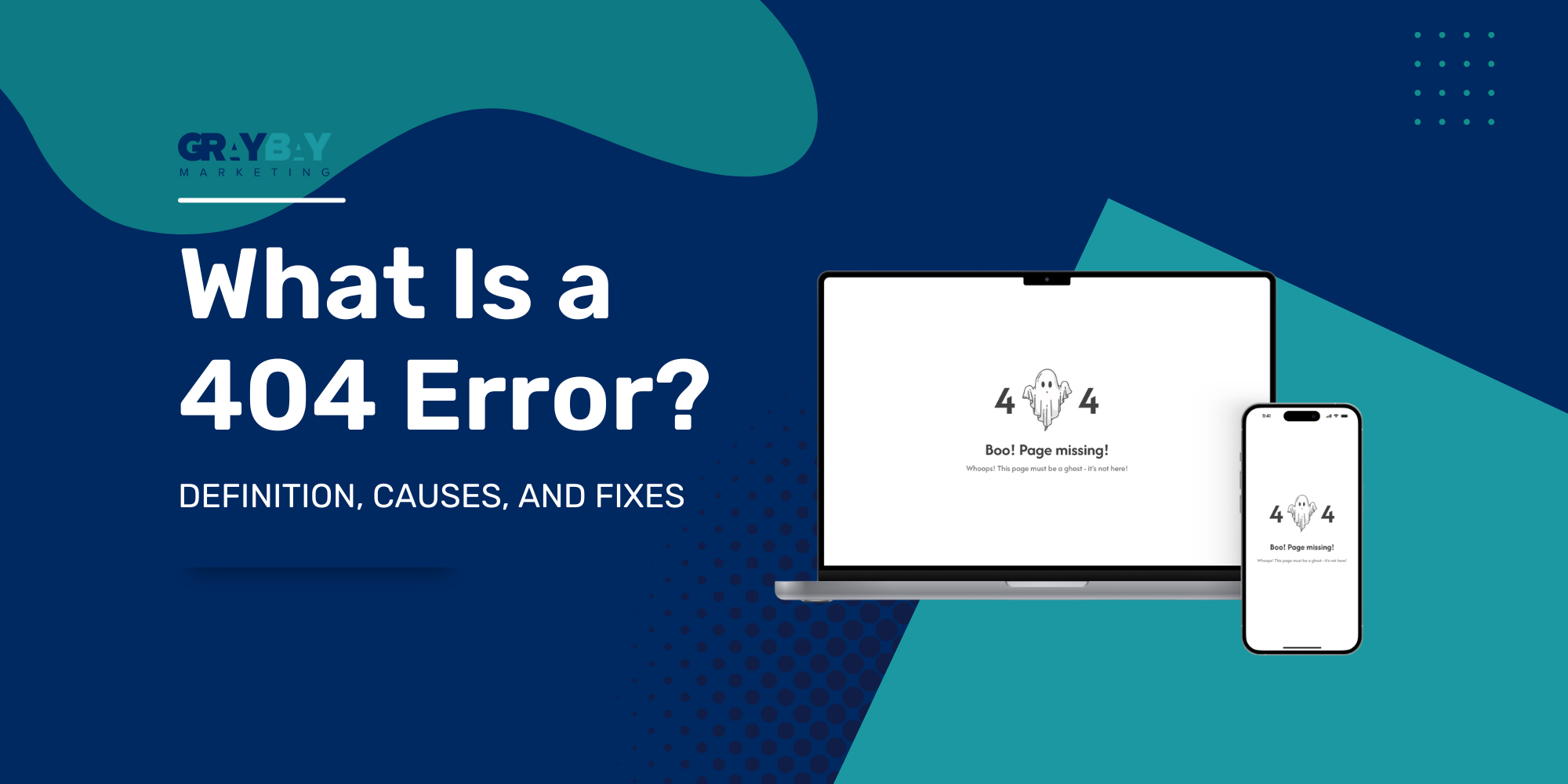
If you’ve ever clicked a link only to land on a “page not found,” you’ve already experienced what is a 404 error. It’s one of the most common website issues – and one of the most misunderstood. At Gray Bay Marketing, we’ve seen even small 404 mistakes quietly drain traffic, disrupt conversions, and damage a brand’s credibility.
In SEO marketing, every link matters. When a page vanishes or returns the wrong code, search engines lose trust in your site. Understanding what is a 404 error helps you prevent invisible leaks in your online performance and user experience. This guide explains what happens behind the scenes, why it matters, and how to fix it – the modern way.
The Basics: How Do 404 Errors Work?
Before you can fix them, you need to understand what is a 404 error and how it works. Every time someone visits a webpage, their browser sends a request to a server asking for information. When the server can’t find the specific file or page being requested, it responds with a 404 status code – essentially saying, “I can’t find what you’re looking for.”
A 404 doesn’t always signal a serious problem; sometimes it simply means a page was intentionally removed or renamed. The real issue begins when these missing pages aren’t handled properly. Without a clear response, users hit a dead end, and search engines start to question your site’s reliability.
A well-managed 404 page makes all the difference. It should clearly explain that the page is missing while offering a way forward, like a link back to your homepage or key content sections. If visitors encounter a broken link but can easily navigate elsewhere, they’re far less likely to leave.
Understanding the Common Causes of 404 Errors
When analyzing what is a 404 error, the next question is why it happens. There are many common causes of 404 errors, and not all are your fault.
Here are the biggest culprits:
Deleted pages without redirects. When URLs disappear, users and bots still look for them.
Broken internal links. A single typo in a hyperlink can break navigation.
Site migrations. Redesigns often shuffle URLs, causing unintentional breakage.
Changed URL structures. Switching from “/blog/” to “/resources/” without redirection causes widespread 404s.
External backlinks to old pages. Other websites might link to content you’ve removed.
CMS updates or plugin issues. Certain tools overwrite URL settings or create temporary errors.
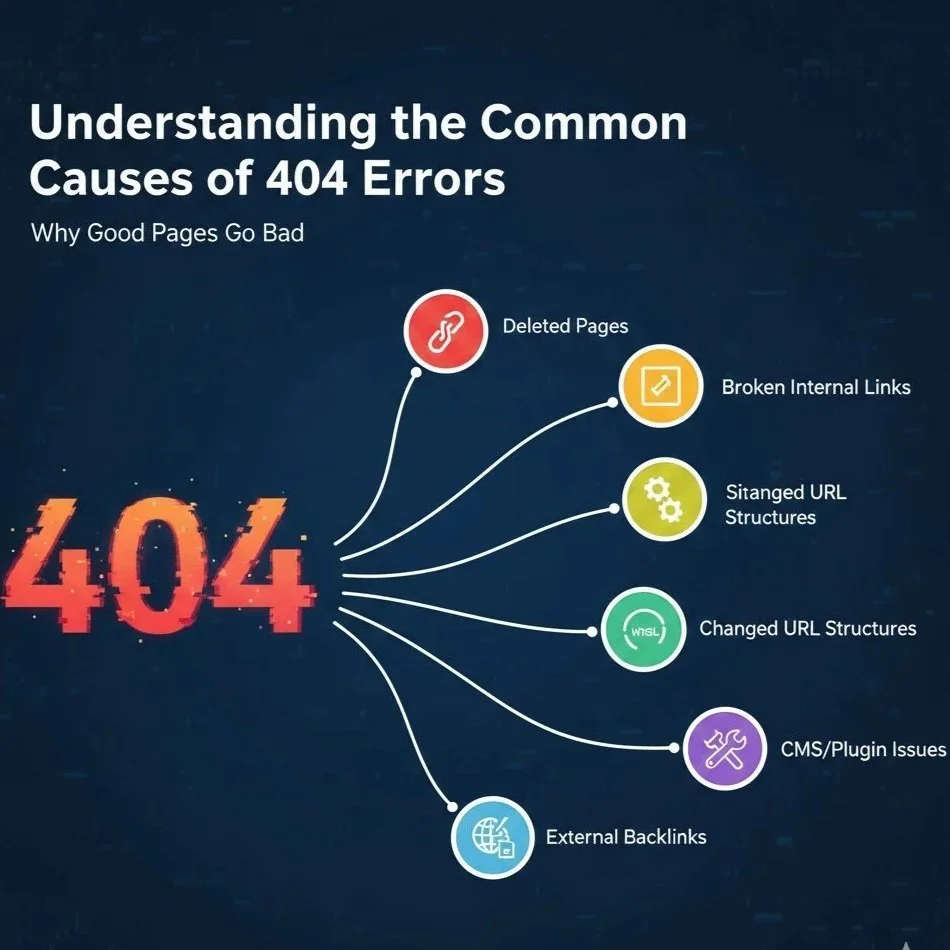
Each one interrupts your website’s flow and signals instability to crawlers. By monitoring regularly, you can detect these issues before they snowball. Understanding the common causes of 404 errors is the first step toward prevention.
The Hidden Impact of 404 Errors on SEO & User Trust
The impact of 404 errors goes beyond a poor user experience – it affects search performance too. While a few 404s are natural, too many can create major visibility problems.
Here’s how it unfolds:
User frustration: Visitors bounce faster when they encounter broken links.
Lost crawl efficiency: Search engines waste time rechecking missing pages.
Link equity loss: Valuable backlinks pointing to 404s stop passing authority.
Ranking instability: Important pages disappearing can drop keyword rankings overnight.
Search engines expect some 404s. However, when what is a 404 error turns into a pattern of neglect, Google interprets it as poor maintenance. That’s when performance dips.
From a user standpoint, broken pages also weaken credibility. A clean, error-free experience tells customers that your brand pays attention to details – something Gray Bay Marketing emphasizes in every campaign.
Prevention & Maintenance: How to Fix 404 Error Issues
Now that you understand the cause and effect, it’s time to look deeper into what is a 404 error. The next step is learning how to fix 404 error, issues effectively. The good news is that most fixes are straightforward, and a consistent process keeps them under control.
1. Identify Problem Pages
Start by scanning your site with reliable tools:
Google Search Console: Review the “Not Found” report.
Screaming Frog or SEMrush: Crawl for broken internal and external links.
These tools show where a 404 error occurs most often, helping you prioritize fixes.
2. Restore or Redirect
If the missing page once had backlinks or traffic, redirect it.
Use 301 redirects for permanent replacements.
Avoid redirecting everything to the homepage – that confuses crawlers.
3. Maintain a Helpful 404 Page
Even the best-managed websites need a good fallback. Design a 404 page that:
Clearly explains the page is missing.
Offers a search bar or menu options.
Links to popular products, categories, or blogs.
Keeps the brand tone light and reassuring.
4. Monitor Continuously
After every site update or migration, rescan for new 404s. Track the number of hits your 404 page receives – sudden spikes mean new problems.
Proactive management of 404 issues not only restores lost traffic but prevents reputation damage before it spreads.
Advanced Tips: 404 vs. 410 and Soft 404s
There’s nuance to what is a 404 error. Not all missing pages are equal.
404 (“Not Found”) tells crawlers a page doesn’t exist but might return later.
410 (“Gone”) signals the page is permanently removed, prompting faster deindexing.
Soft 404s occur when a page looks missing but still returns a 200 “OK” status – confusing for search engines.
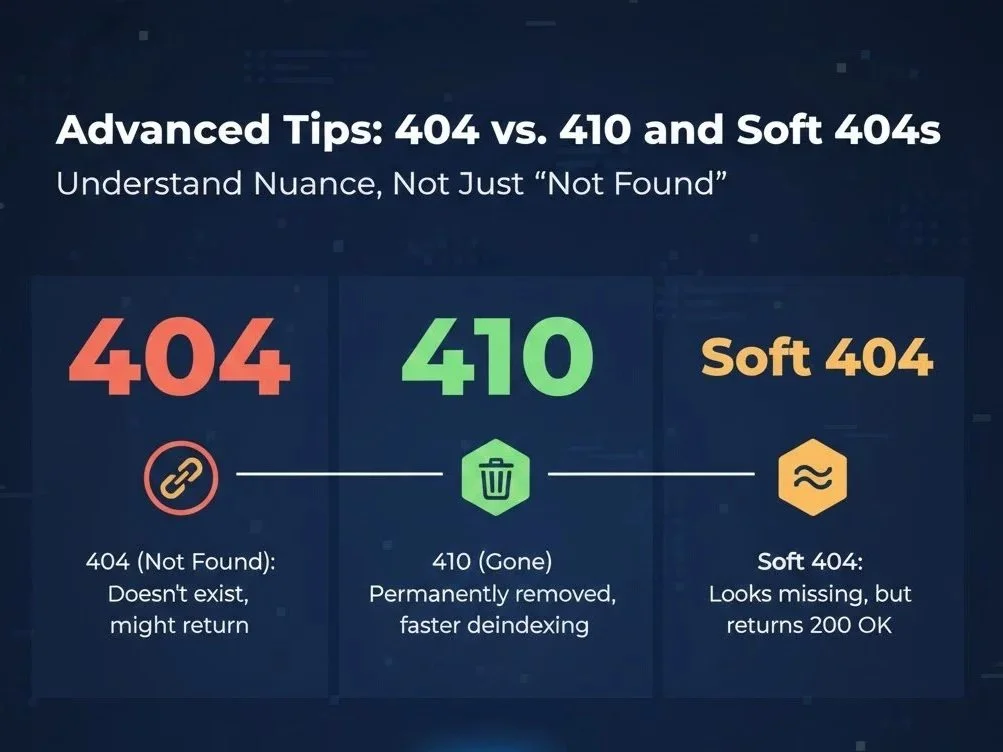
In 2026, Google’s crawlers are smarter but still rely on accurate server responses. Always test your pages with URL Inspection in Search Console to confirm the correct status codes. The difference between 404 and 410 might seem small, but it influences how long deleted pages linger in search results.
Tools to Track & Manage 404s Efficiently
Keeping track of what is a 404 error is easier with the right toolkit. The following platforms simplify detection and maintenance:
Google Search Console: Pinpoints errors directly from Google’s perspective.
Ahrefs Site Audit: Identifies broken backlinks and internal issues.
SEMrush Site Health: Provides prioritized reports with severity levels.
Screaming Frog: Ideal for large websites needing full-site crawls.
Sitebulb: Offers visual maps showing where errors cluster.
Server log analyzers: Useful for enterprise sites tracking bot access and crawl frequency.
The key isn’t just finding 404s – it’s acting fast. Automate alerts, document fixes, and revisit your audit every few months. That’s how professional teams like Gray Bay Marketing stay ahead of technical issues.
Why Custom 404 Pages Are More Than a Courtesy
A creative 404 page turns a setback into an opportunity. When you understand what is a 404 error, you can design around it strategically.
A smart 404 page can:
Keep users engaged by offering helpful navigation.
Reinforce your brand’s personality through tone and visuals.
Suggest related products or recent blog posts.
Even convert visitors with small promotions or discounts.
For service-based clients, we’ve tested 404 pages that display trending items – often resulting in measurable upticks in sales. A custom 404 isn’t fluff; it’s a conversion tool disguised as customer service.
Protecting SEO Health With Gray Bay Marketing
At Gray Bay Marketing, we view technical precision as the heartbeat of successful SEO marketing. Managing ‘what is a 404 error’ correctly is about more than maintenance – it’s about trust.
Our team of SEO Services in San Francisco doesn’t just repair broken links; we protect the flow of authority across your entire digital ecosystem. We combine analytics, technical audits, and creative problem-solving to ensure your visitors never hit dead ends. Whether you’re a growing service business or a multi-region company, we tailor solutions that strengthen search visibility and user experience.
Every detail – from redirects to custom error pages – impacts how customers perceive your brand. We make sure those details work in your favor.