
Push Notifications for Marketing: When They Work (and When They Don’t)
In today’s fast-paced digital world, standing out in a crowded market is tough. Customers are bombarded with emails, social media ads, and messages.
That’s where push notifications for marketing come in—they grab attention instantly, deliver your message, and can drive engagement like nothing else.
But using them wrong can annoy your audience and hurt your brand.
This guide explains exactly how push notifications work, how to set them up for mobile and desktop, and strategies that actually convert. By the end, you’ll know how to engage users without pushing them away.
What Are Push Notifications?
Push notifications are short messages that appear on a user’s device, either from an app or a web browser. Unlike emails, they pop up instantly, grabbing attention even when users aren’t actively using your site.
They are highly visible, can contain calls to action, and often lead to higher engagement rates. These messages work best when personalized, timely, and relevant to your audience.
Think of them as a gentle nudge that brings users back to your content or products without being intrusive. Properly crafted, they can enhance user experience and boost conversions.
What Is Push Notification Marketing?
Push notifications for marketing are the strategic use of these notifications to engage customers, promote products, or deliver content updates.
Businesses can craft messages that match user interests, schedule them for peak engagement, and even segment audiences for precise targeting. Unlike traditional ads that users scroll past, push notifications land directly in front of your audience.
Push notification marketing is also measurable, allowing marketers to track opens, clicks, and conversions. With the right approach, push notification becomes a direct line of communication that strengthens relationships and builds brand loyalty over time.
For a broader view of current marketing tactics, read our guide on “Trends in Digital Marketing: 14 Key Insights for 2026” to see how push notifications fit into today’s top-performing strategies.
How Do Push Notifications Work?
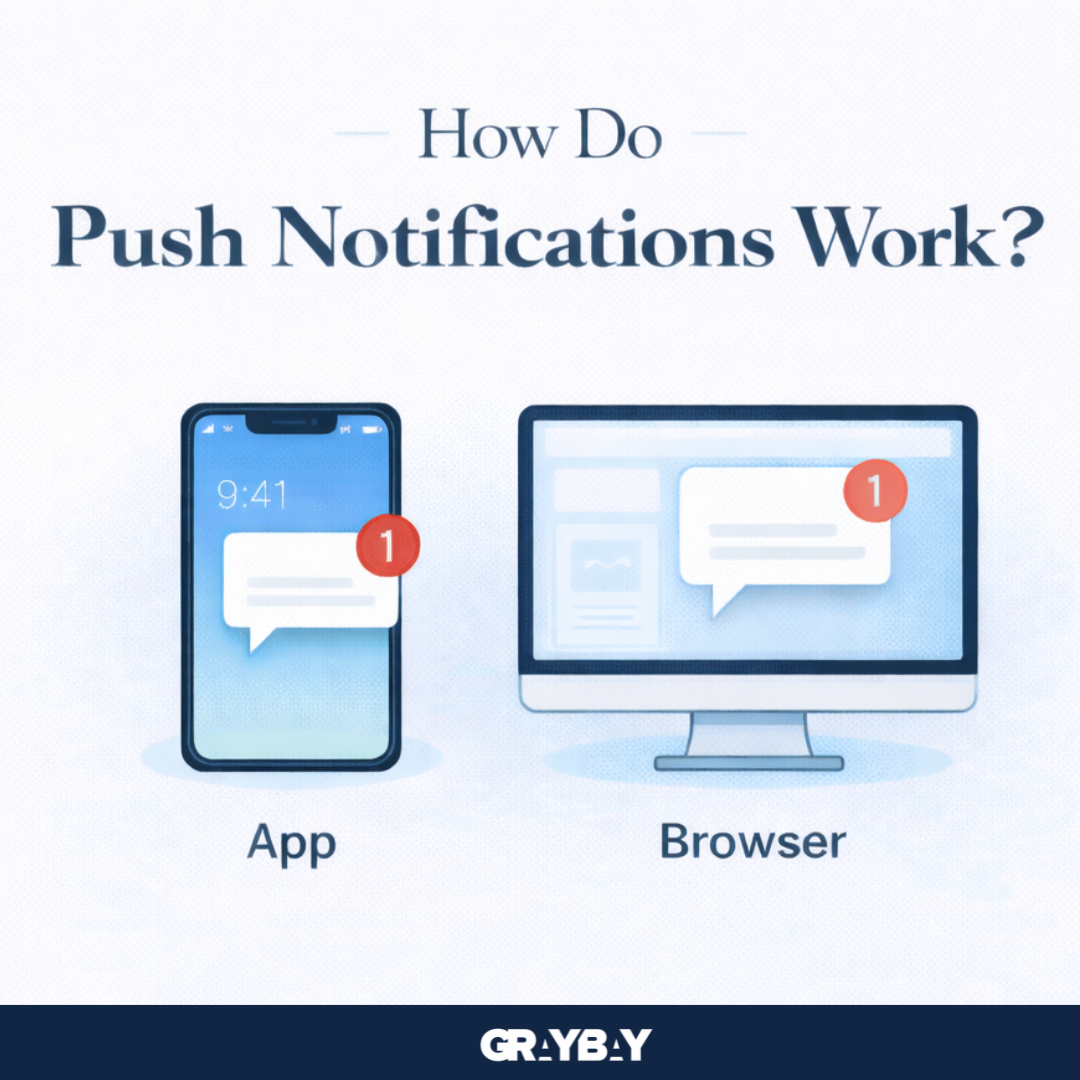
Push notifications for marketing work through apps or browsers that users have opted into. Once a visitor agrees to receive notifications, marketers can send messages instantly or schedule them for later. Here’s how they function:
Device visibility – On mobile devices, notifications appear on the home screen or lock screen. On desktop browsers, they often appear in the bottom-right corner.
Automation sequences (waterfalls) – A waterfall is a series of automated notifications triggered by user actions, such as signing up for a newsletter or browsing a product. This creates a journey that guides users toward engagement without manually sending every message.
List management – Many push notification service providers automatically clean inactive users from the list, ensuring messages reach engaged audiences only.
Location based push notifications – Push notifications can be sent to users in specific geographic areas, increasing relevance and encouraging higher engagement or conversions.
Scheduling – Timing is crucial. Daily notifications might overwhelm users, whereas weekly or triggered messages provide a balance between engagement and user satisfaction.
In short, push notifications are a scalable, cost-effective marketing tool that keeps your audience engaged and encourages repeat visits.
Why Integrate Push Notifications
Utilizing push notifications for marketing is more than just a trendy tactic—it’s a powerful way to engage users and drive results. When done correctly, push notifications create direct communication with your audience, helping you stay top-of-mind without relying on email or social media algorithms.
By integrating them, you can reach users instantly, guide them through your content, and prompt actions that matter to your business.
Here’s why integrating push notifications is worth it:
Instant engagement – Push notifications allow you to deliver messages in real-time, so users see your updates immediately. This keeps your brand visible and encourages prompt action.
Boosts retention – By reminding users about new content, offers, or products, push notifications can bring back visitors who might otherwise forget about your site or app.
Personalized experiences – Integration lets you segment your audience and send targeted messages based on behavior, location, or interests, making notifications more relevant.
Cost-effective marketing – Unlike paid ads, push notifications reach users directly without extra spend, making them a high-ROI marketing tool.
Supports other campaigns – Notifications complement email, social media, and content marketing campaigns by reinforcing messages and driving traffic.
In short, integrating push notifications ensures that your marketing efforts are timely, targeted, and efficient, helping you build stronger relationships with your audience while increasing engagement and conversions.
Types of Push Notifications
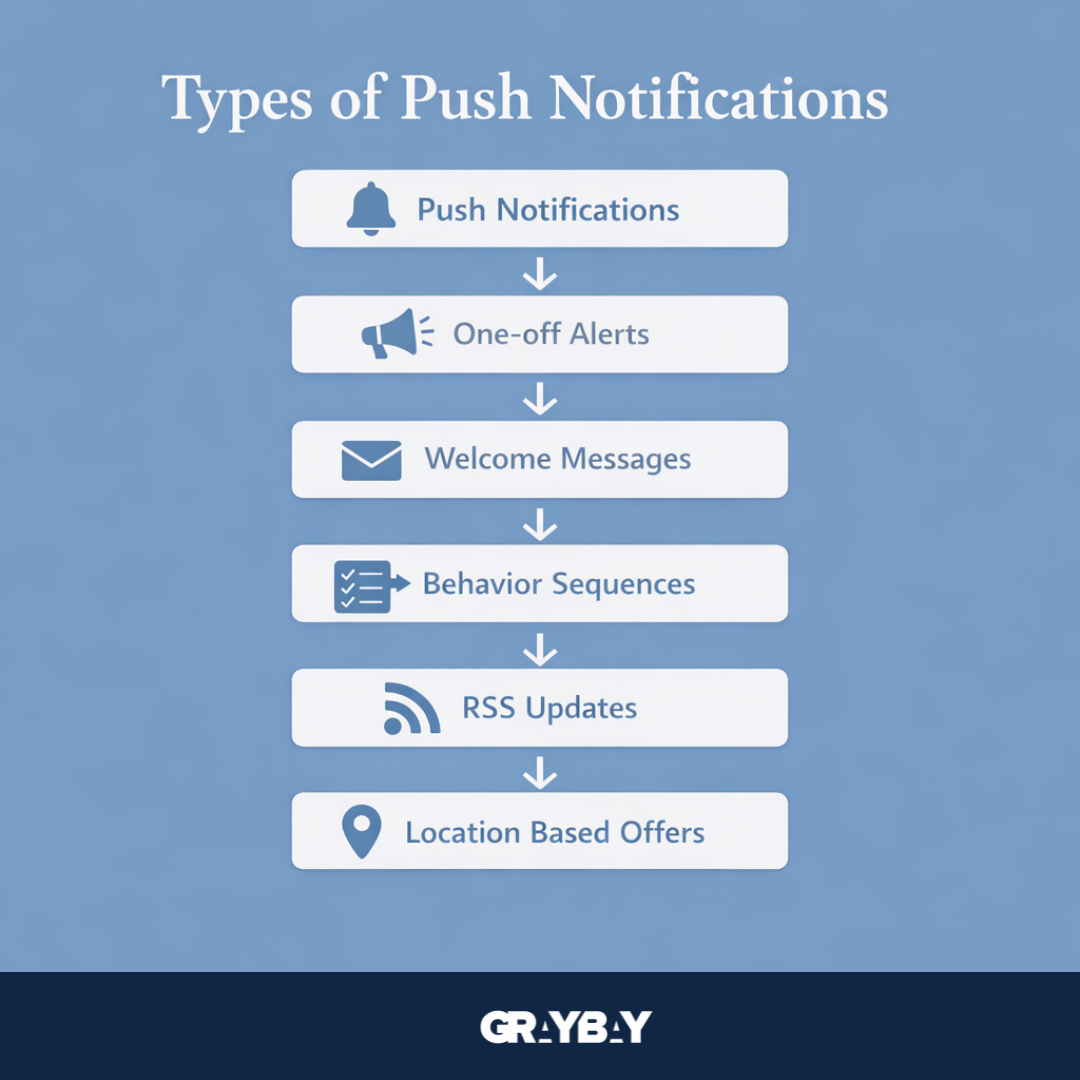
Push notifications come in several forms, each suited for different marketing goals. The main types include:
One-off notifications – Single, targeted messages used to inform users about updates, offers, or promotions. → “Flash Sale: 20% off today only!”
Automated welcome messages – Sent when users subscribe or opt in, helping introduce your brand, service, or platform. → “Welcome! Here’s a 10% discount just for you.”
Waterfall (sequence) – A chain of automated notifications triggered by user behavior to guide engagement step by step. → “Start your course today → Complete Lesson 1 → Next Lesson Reminder.”
RSS feed notifications – Automatic alerts that share new blog posts or content updates whenever published. → “New Blog Post: SEO Tips You Can’t Miss.”
Location based push notifications – Messages sent according to user geographic location to promote nearby offers or events. → “Visit our store in Downtown LA for a special offer.”
Using these types effectively can maximize engagement without overwhelming your audience. Combining them strategically ensures timely, relevant, and personalized interactions.
How to Set Up Push Notifications
Setting up push notifications differs slightly for mobile apps versus desktop browsers, but the principles remain consistent.
For mobile apps:
Integrate a push notification SDK into your app, such as OneSignal or Firebase Cloud Messaging (FCM).
Request opt-in permission from users at the right moment, such as after account creation.
Segment your audience based on behavior, demographics, or location.
Create personalized and actionable messages.
Schedule notifications or use automation sequences for consistency.
For desktop browsers:
Use a web push notification service compatible with major browsers. You can implement a platform like PushEngage or OneSignal, which supports major browsers, including Chrome, Firefox, and Edge.
Add subscription prompts on your website.
Segment users by interests, activity, or location.
Craft short, clear messages with strong calls to action.
Schedule or trigger notifications based on user actions, such as completing a purchase or visiting a blog post.
Consistently testing timing, messaging, and frequency ensures notifications are effective and welcomed, not ignored or blocked.
Push Notification Marketing Strategy: Pro Tips
Developing a push notification marketing strategy requires thoughtfulness, targeting, and timing. Here are the essential tips:
Tip 1: Prioritize relevance
Segment audiences and tailor messages to individual preferences or behavior. Personalization increases engagement and reduces opt-outs.
Tip 2: Timing is everything
Push notifications should reach users at the right moment. Avoid excessive frequency, as overloading users can lead to unsubscriptions. Use analytics to track peak activity periods for your audience and schedule messages accordingly.
Tip 3: Clear calls to action
Each notification must have a direct action. Whether it’s “Shop Now,” “Read More,” or “Claim Your Discount,” clarity drives clicks. Combine urgency with relevance to motivate users to act immediately. Testing different messaging styles helps identify what resonates best.
Tip 4: Use automation wisely
Automation sequences or waterfalls guide users through a journey, from welcoming them to encouraging product purchases or content consumption. But too many automated pushes can annoy users. Balance automation with careful timing and personalization.
What are the Best Push Notification Examples for Different Goals?
When using push notifications for marketing, the goal you want to achieve should shape the type of message you send. Different goals require different strategies, and crafting the right notification can significantly boost engagement, conversions, and retention. Here are some of the best push notification examples based on common marketing objectives:
Driving Sales: Send promotions, discounts, or limited-time offers. For example, “Flash Sale: 30% off today only—grab your favorites now!” encourages immediate action.
Content Engagement: Promote new blog posts, videos, or podcasts to bring users back to your site. Example: “New Blog Post: 5 SEO Tips You Can’t Miss.”
User Retention: Remind inactive users to return with personalized messages. Example: “We miss you! Check out what’s new this week.”
Event Promotion: Notify users about webinars, workshops, or product launches. Example: “Reserve your spot: Free webinar on advanced marketing strategies.”
Location-Based Push Notifications: Send location-specific offers or updates. Example: “Stop by our Downtown store today for an exclusive gift!”
By tailoring your push notifications to specific goals, you can maximize relevance, increase click-through rates, and strengthen user relationships. Integrating these strategies ensures your notifications feel helpful, timely, and engaging rather than intrusive.
How to Measure Performance
Monitoring performance ensures your push notification marketing strategy is effective. Key metrics include:
Opt-in rates: The percentage of users who subscribe to notifications.
Open rates: How many recipients click to view content.
Click-through rates: Actions taken after opening notifications.
Conversions: Measured goals, such as purchases, sign-ups, or downloads.
By analyzing these metrics, marketers can optimize timing, messaging, and segmentation. A/B testing different approaches helps identify what works best. Combined with user feedback, performance measurement ensures your push notification strategy continues to drive engagement and ROI.
To ensure your push notifications drive users to a well-organized website, read our guide on “Best Site Structure for SEO: How to Create a Solid Foundation” to learn how a strong site structure supports engagement and conversions.
When Push Notifications Work (and When They Don’t)
Push notifications for marketing can be a game-changer, but their effectiveness depends on how you use them. To help you understand better, here’s a comparative table showing when push notifications are effective versus when they aren’t:
Message Relevance – Marketing push notifications work when messages are personalized based on user behavior, interests, or location. They fail when notifications are generic, irrelevant, or do not match user preferences.
Timing – Push notifications work when they are sent during high engagement periods or triggered by user actions. They fail when messages are sent at odd hours or too frequently, which can feel disruptive.
Frequency – Effective marketing uses balanced notification schedules such as weekly updates or well-spaced automated sequences. Poor results happen when users receive too many notifications in a single day.
Call to Action (CTA) – Push notifications perform better when they include clear and simple actions like “Shop Now,” “Read More,” or “Claim Offer.” Weak CTAs fail to guide users or create interest.
Automation & Personalization – Success comes from using automated sequences such as welcome messages, content updates, or location-based alerts with personal relevance. Over automation without customization may reduce engagement.
User Experience – Marketing push notifications succeed when users feel informed and valued. Poor strategies may interrupt users, feel spammy, and lead to unsubscribes or notification blocking.
Linking these strategies with user behavior ensures push notifications enhance engagement instead of pushing users away.
Final Words
Push notifications for marketing can be a game-changer when executed thoughtfully. They drive traffic, increase engagement, and keep users connected. The key lies in relevance, timing, personalization, and clear calls to action.
By integrating automation, location-based targeting, and strategic scheduling, businesses can reach the right audience at the right time. If implemented correctly, push notifications become a powerful, cost-effective tool that strengthens your marketing efforts and builds lasting customer relationships.
Every customer touchpoint is an opportunity to grow your business. Gray Bay Marketing delivers LLM SEO services, Google Ads campaign management services, Facebook ads marketing agency expertise, and comprehensive digital marketing solutions that help businesses reach the right audience, strengthen brand awareness, and encourage more conversions.
Let's create a digital marketing strategy that delivers results long after the first click.
FAQs
What is the difference between push notifications for marketing and emails?
Push notifications appear instantly on devices and grab attention immediately, whereas emails sit in inboxes. Push notifications generally have higher open rates and allow real-time engagement. Emails are better for long-form content and detailed messages.
Can push notifications annoy users?
Yes, excessive or irrelevant notifications can frustrate users and lead to opt-outs. Proper timing, frequency, and personalization are essential to maintain engagement without annoying your audience.
Are push notifications for marketing effective for small businesses?
Absolutely. Even small businesses can use push notifications to drive traffic, promote products, and engage local customers. With segmentation and targeting, results can rival larger campaigns.
How often should I send push notifications?
The frequency depends on your audience and content type. Weekly or triggered notifications often work best. Daily pushes may overwhelm users, while irregular pushes can reduce engagement.
Can I use push notifications for content marketing?
Yes. Push notifications can alert users to new blog posts, video content, or educational material. When personalized and timely, they drive traffic and keep audiences engaged with your brand.