
How to Create 30 Days of Social Media Content With AI in 60 Minutes

Flashback to 2015: creating social media content was a project of its own.
Businesses had to set aside dedicated days just to sit down, brainstorm ideas, map out content calendars, and put together posts one by one. Imagine running a law firm and trying to build your online presence at the same time. You needed educational posts, legal updates, and helpful content that could bring people closer to your services. Before long, the workload started piling up. The tools were limited, the process was time-consuming, and hiring a full content team could quickly stretch the budget.
Good news?
Fast forward to 2026, and the entire process has started to shift. AI tools have opened up new ways to plan, create, and organize content without starting from scratch every time. With the right system in place, AI can help you build a month-long content plan, generate initial post drafts, and prepare reusable visual templates in about an hour.
This guide explains how to create social media content with AI by using practical workflows for content planning, AI content calendars, branded visuals, post creation, and scheduling.
Why Businesses Are Using AI for Social Media Content Creation
Rising content demands, multiple platforms, and the need for consistent communication have pushed brands to find smarter solutions. AI tools help businesses organize ideas, create drafts, and prepare content faster without making the process feel overwhelming.
Businesses Need Faster Ways to Create Content
Social media requires a steady flow of fresh ideas, but creating posts manually takes time. Businesses are turning to AI tools to speed up brainstorming, writing, and planning. These tools help teams manage daily content needs while keeping their focus on customers and core business activities.
Content Creation Is Becoming More Personalized
Audiences expect content that feels relevant to their interests and needs. AI tools allow businesses to add brand details, audience information, and preferred tones to create more personalized posts. This approach helps companies develop content that connects better with their target audience.
Multiple Platforms Require Smarter Workflows
Managing content across Instagram, LinkedIn, Facebook, and other platforms can become complicated. AI social media content creation helps businesses repurpose ideas into different formats, such as captions, carousels, videos, and short posts. This makes it easier to maintain consistency without creating every piece of content separately.
AI Helps Overcome Creative Blocks
Many businesses struggle with finding new content ideas regularly. AI tools can suggest topics, post formats, hooks, and content themes to keep the creative process moving. These suggestions give businesses a starting point while allowing them to add their own experience and perspective.
Visual Content Creation Is Easier Than Before
Designing social media graphics once required advanced skills or extra resources. AI-powered design tools and platforms like Canva have simplified the process. Businesses can now create branded templates, social media graphics, and visual content faster while maintaining a consistent look across their platforms.
Businesses Can Save Time on Repetitive Tasks
Content planning includes many repetitive tasks, such as organizing ideas, writing drafts, and preparing schedules. AI tools help handle these early steps, allowing businesses to spend more time improving strategies and connecting with their audience instead of managing every small detail manually.
AI Is Becoming Part of Modern Marketing Workflows
AI is becoming a regular part of content planning and marketing processes. Businesses are using AI tools to support research, scheduling, design, and content development. This shift allows teams to create organized workflows that balance automation with human creativity and brand expertise.
Businesses creating content for TikTok can also explore our guide on TikTok Marketing: How to Get More Followers and Grow Your Account for additional platform-specific strategies.
How to Create Social Media Content With AI in 60 Minutes?
Here are the steps on “how to create social media content with AI:”
Step 1: Define Your Content Goals and Audience (5 Minutes)
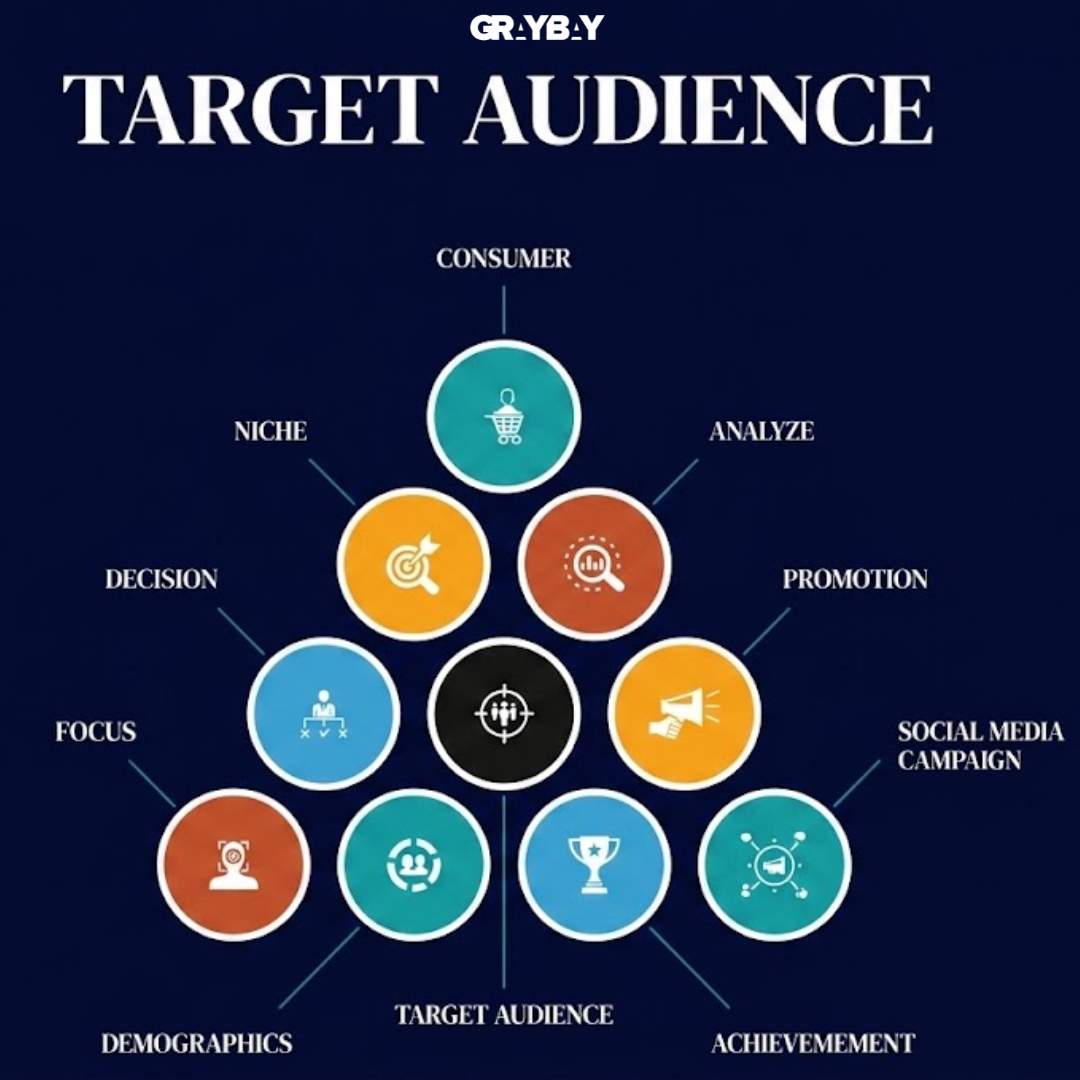
Before asking AI to create social media content, start by giving it a clear direction. AI tools work better when they understand your business, audience, and purpose behind each post. Start by answering a few important questions:
Who is your target audience?
Identify the people you want to reach. Consider their age group, interests, challenges, buying behavior, and the type of information they need.
What is your main content goal?
Decide what you want your social media presence to achieve. Your goal could be increasing brand awareness, generating leads, educating customers, building trust, or driving sales.
What type of content do you want to create?
Choose the formats that match your audience and platform. These may include educational carousels, short videos, customer stories, product posts, behind-the-scenes content, or industry updates.
What should your brand voice sound like?
Define how your business communicates online. A law firm may prefer a professional and informative tone, while a fitness coach may use an energetic and encouraging style.
For example, a local law firm looking to attract small business owners can tell AI: “Create social media content ideas for a business law firm that helps startups with contracts, compliance, and legal guidance. Use a professional but approachable tone.” With this information, AI can create ideas that match the business instead of producing random posts.
Step 2: Choose AI Tools for Planning and Creation (8 Minutes)
Different tools handle different parts of content creation, such as brainstorming ideas, writing captions, designing visuals, and managing content schedules. Instead of using every available tool, focus on platforms that match your business needs and help you complete tasks faster.
Claude for content creation can be useful when you need to organize detailed information, refine messaging, develop content variations, or turn a broad topic into structured social media posts.
Step 3: Build Your Content Framework Before Creating Posts (12 Minutes)
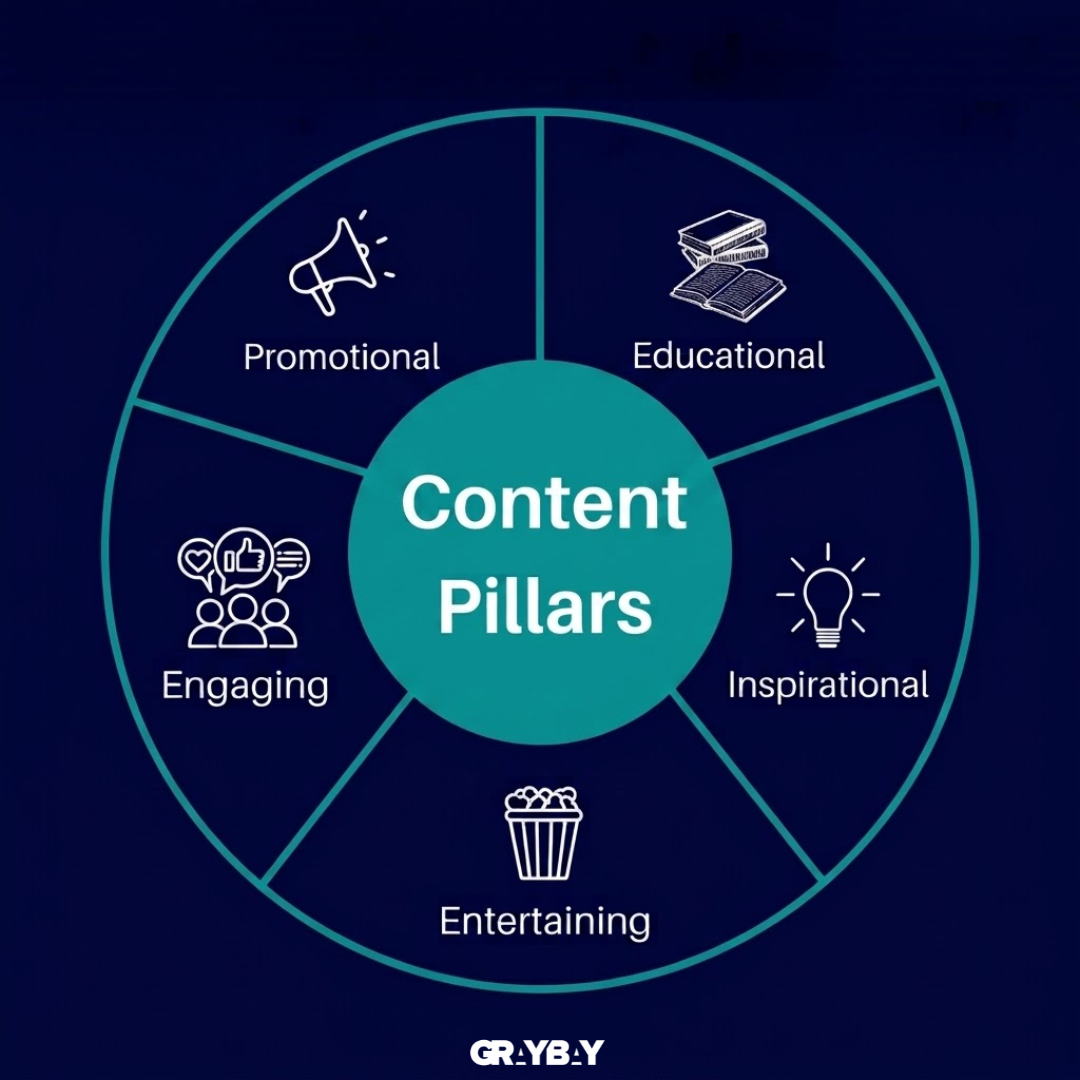
A strong content framework gives AI the right direction before it starts generating ideas. Instead of asking AI for random posts, create a simple structure that explains what your brand talks about, who you want to reach, and what type of content supports your goals.
Spend these 12 minutes creating the foundation of your content plan:
1. Choose Your Core Content Pillars
Content pillars are the main topics your brand will discuss regularly. They help keep your posts focused and make it easier to create new ideas.
For example, a law firm may choose:
2. Decide Your Content Formats
Different audiences interact with different types of content. Choose formats that fit your platform and communication style.
3. Create a Weekly Posting Pattern
A simple schedule helps AI understand how your content should be distributed throughout the month. For example:
How to Build an AI Content Calendar for 30 Days
Once your content pillars and posting pattern are defined, use AI to turn them into a 30-day content calendar. Give the tool your audience, content goals, platforms, content pillars, preferred formats, and posting frequency. Ask it to distribute topics across the month without repeating the same message too often.
Step 4: Generate Social Media Ideas and Draft Posts With AI
Once your content framework is ready, the next step is turning your ideas into actual posts. AI can help you move quickly through brainstorming, outlining, and drafting, but the direction should come from your brand knowledge and audience needs. Follow these steps:
Start With a Clear Content Request
AI works best when you provide specific instructions. Instead of asking for “social media ideas,” include details about your business, audience, platform, and content goal.
For example:
Prompt:“Create 20 Instagram post ideas for a business law firm targeting startup owners. Focus on contract tips, legal mistakes, and business protection. Use an educational and professional tone.”
Prompt for a 30-Day Content Calendar:
Create a 30-day social media content calendar for a business law firm targeting startup owners. Use these content pillars: contract education, business protection, legal updates, and client guidance. Include the platform, content format, topic, hook, CTA, and goal for each post. Avoid repeating the same topic or angle.
Turn Ideas Into Complete Posts
After selecting your best ideas, ask AI to expand them into ready-to-edit drafts. You can create different formats based on your content plan:
Prompt for Captions:
“Write an Instagram caption about [topic] for [target audience]. Use a professional but approachable tone. Start with a strong hook, explain three useful points, and finish with a natural call to action. Avoid generic phrases and keep the information specific to [business/industry].
Prompt for Repurposing Content:
“Turn this social media post into a LinkedIn post, Instagram carousel outline, short-form video script, and Facebook caption. Keep the main message consistent while adapting the format, tone, and length for each platform.”
Add Your Brand Voice Before Finalizing
AI-generated drafts still need a human touch. Review every piece of content and adjust the wording to match your brand personality. Add real examples, customer questions, industry experiences, or unique opinions.
Check these points before moving forward:
Step 5: Create Canva Social Media Content and Branded Templates (15 Minutes)
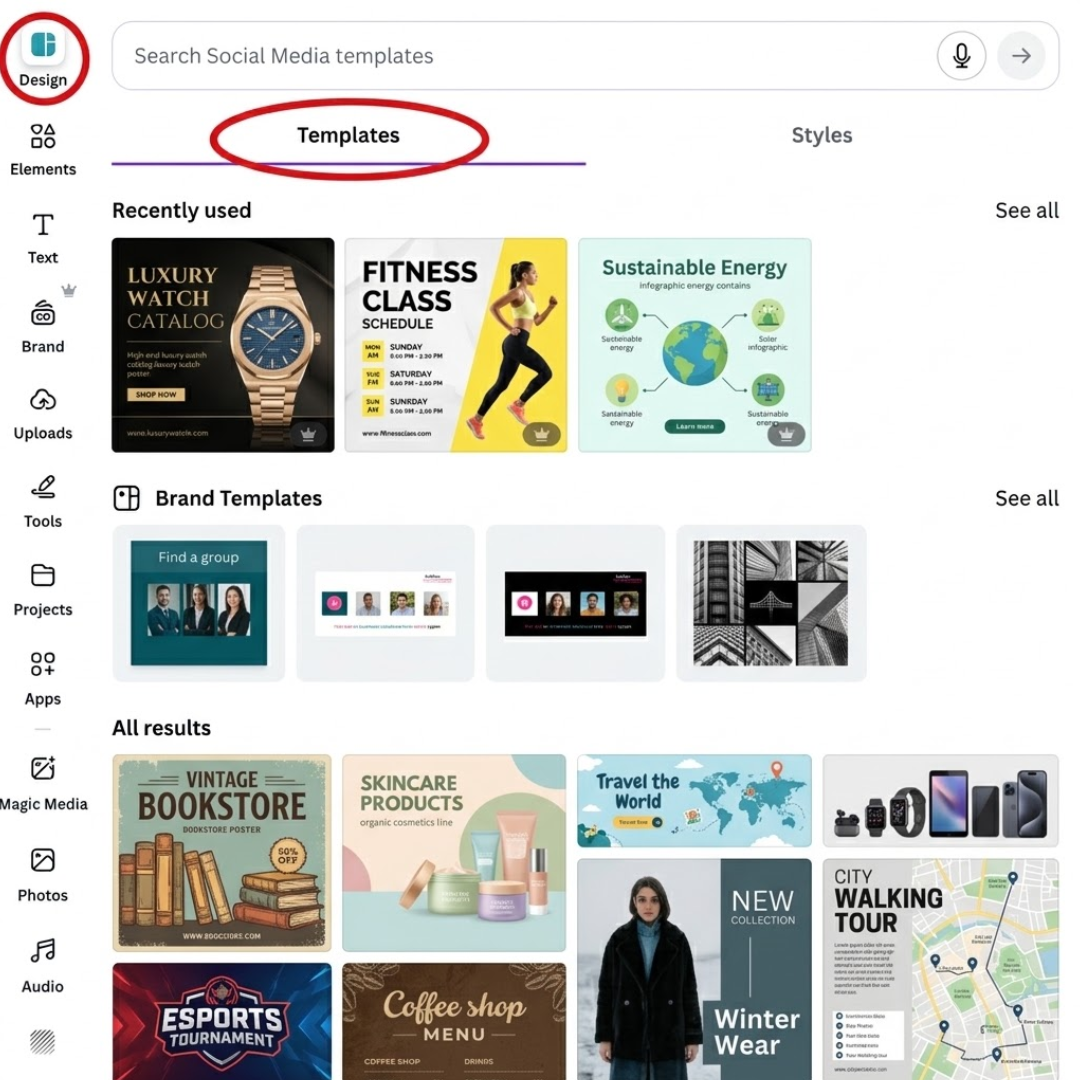
After preparing your content ideas and captions, the next step is bringing those ideas to life through visuals. This is where tools like Canva with AI features can help you create professional-looking posts without starting every design from zero. A simple workflow can help you turn written ideas into engaging social media designs:
Set up your brand kit: Add your brand colors, fonts, logo, and visual preferences in Canva so every design follows the same style.
Choose the right template: Select templates based on your content format, such as carousel posts for educational content, single-image designs for announcements, or video templates for short-form content.
Customize the design layout: Adjust headlines, images, icons, and text placement to match your message and make the post easier to read.
Use AI features for design support: Use Canva’s AI tools to generate design ideas, suggest layouts, remove backgrounds, or create visual elements that fit your content.
Create reusable templates: Save your best-performing designs as templates so you can quickly update them with new topics, captions, and visuals in the future.
Step 6: Review, Refine, and Schedule Your Content (8 Minutes)
Creating content quickly does not mean publishing everything immediately. The final review stage helps you turn AI-assisted drafts into posts that feel accurate, useful, and connected with your audience. This is where you bring your own experience into the process and make small changes that improve the overall quality.
Before scheduling your content, run through these checks:
After reviewing your posts, organize them into a simple publishing schedule. A content calendar helps you maintain consistency and prevents multiple similar posts from appearing too close together. You can also use scheduling tools to prepare posts in advance and track upcoming content.
Quick Overview: 60-Minute AI Social Media Content Creation Workflow
This 60-minute workflow helps you use AI as a practical content assistant by building a clear strategy, choosing the right tools, creating a content framework, drafting posts, designing visuals, and preparing a publishing schedule. With the right instructions and brand details, AI can support how to create social media content with AI while keeping your posts aligned with your business voice and audience expectations.
Read more: Conversion Rate Optimization Guide: 8 Ways To Get Started
What AI Can and Can't Do for Social Media Content
AI Can Help With
Brainstorming content ideas
Creating first drafts
Writing captions
Developing hooks
Creating content calendars
Repurposing existing content
Developing video scripts
Supporting visual design
AI Still Needs Human Oversight
AI-generated content should be reviewed before publishing. Check facts, statistics, claims, brand messaging, tone, and industry-specific information. Add original examples, customer insights, and business expertise so the final content reflects your brand rather than sounding generic.
Final Thoughts
Creating a month of social media content does not have to take days of planning, endless brainstorming, or a large content team. A clear strategy, the right tools, and a few focused hours can help businesses build a consistent content system that supports their goals.
AI works best as a support system for your social media strategy rather than a replacement for your brand knowledge and experience. A well-defined audience, strong content framework, and human review can turn simple AI drafts into posts that feel useful and relevant.
AI can save time during planning, writing, and designing, giving businesses more room to focus on conversations, customers, and growth. The key is using these tools with purpose and keeping the final message connected to the people you want to reach.
Turn AI-Powered Content Ideas Into a Complete Digital Growth Strategy
Gray Bay Marketing helps businesses build a stronger digital presence through data-driven solutions designed around their goals. Our team combines content strategy with Google Ads Management, targeted campaigns, and advanced search solutions to help businesses reach the right audience at the right stage. As a trusted paid media agency, we create campaigns that focus on meaningful results while managing budgets carefully.
We also help brands prepare for the changing search landscape with our LLM SEO agency services, creating content strategies that support visibility across AI-powered search experiences. Explore how Gray Bay Marketing can support your broader digital marketing strategy with paid advertising, SEO, and content solutions built for the future.
FAQs
Can AI create a complete month of social media content?
Yes, AI can help businesses plan a full month of content by generating ideas, captions, post formats, and content calendars. The quality depends on the information you provide, such as your audience, goals, industry, and brand voice. A clear strategy helps AI create content that feels relevant instead of generic.
What AI tools can help with social media content creation?
Several AI tools support different parts of the process. ChatGPT and Claude can help with ideas, captions, and content planning, while Canva AI can assist with visuals and templates. Tools like Notion AI can help organize content calendars and publishing schedules.
Can AI replace a social media manager?
AI can handle repetitive tasks such as brainstorming topics, creating drafts, and organizing content ideas. A social media manager still plays an important role in strategy, audience understanding, brand decisions, and final editing. Human creativity helps make content feel authentic and meaningful.
Is AI-generated social media content good for engagement?
AI-generated posts can support engagement when they focus on real audience needs and include useful information. Businesses should review ideas, add personal insights, and adapt content based on audience feedback to create stronger connections.
What is the best way to use AI for social media content planning?
The best approach is to use AI as a support tool throughout the workflow. A business can use AI for research, brainstorming, drafting, and design assistance while keeping strategy and final decisions under human control. This approach makes how to create social media content with AI more practical for long-term content planning.
Can Canva social media content be created without design experience?
Yes, Canva provides ready-made templates, drag-and-drop features, and AI-powered tools that help beginners create professional-looking graphics. Businesses can customize existing designs instead of creating every post from scratch.
How long does it take to create 30 days of social media content with AI?
A structured AI workflow can help you plan 30 days of topics and create initial drafts in about 60 minutes. However, the total production time can be longer when you include fact-checking, brand editing, visual refinement, approvals, and scheduling. The goal of the 60-minute workflow is to create the content foundation quickly, not eliminate the need for human review.