

Knowing that a competitor is running Facebook ads is easy. Figuring out what they are testing, what they keep promoting, and how their messaging changes takes a closer look.
Facebook Ads Library lets you do exactly that. You can review a competitor's active ads and compare their products, headlines, hooks, visuals, offers, and calls to action. Looking at several ads together can also reveal patterns that are easy to miss when you only see one ad in your feed.
Good news? This guide shows you how to examine those ads, identify useful patterns, and turn your findings into practical campaign ideas.
What Is the Facebook Ads Library?
Before looking for patterns in a competitor’s campaigns, it’s important to know what the Facebook Ads Library actually shows. Meta built it as a public transparency tool, but it has also become useful for marketers who want to see how other brands are advertising across Facebook, Instagram, Messenger, and other Meta placements.
A search can start with a competitor’s name or a keyword connected to the product or service. Meta then shows ads that match the search, along with details such as the advertiser, creative, ad copy, delivery dates, and the platforms where the ad appeared. Ads usually enter the library within 24 hours of receiving their first impression, and later changes are generally reflected within the same window.
What Can Be Seen in the Ad Library?
For competitor research, the most useful details are the ones that reveal how a brand is approaching the market. That includes:
The image, video, or carousel used in the ad
Primary text and creative copy
The Page running the campaign
When delivery started
Platforms where the ad appeared
Different versions of the creative
The Ad Library ID
Taken together, those details can show which products receive attention, how often creative changes, and which messages keep coming back. The library can also be searched by keyword or advertiser, which makes it useful for finding brands outside an existing competitor list.
What the Ad Library Does Not Reveal
This is where competitor research can easily go off track. For ordinary commercial ads, the library does not provide the numbers that sit inside another company’s Ads Manager.
There is no reliable public view of exact:
ROAS
Cost per purchase
Cost per lead
Conversion rate
Daily budget
Revenue
Full audience targeting
Extra spending, impression, and demographic information is available for certain political ads and for ads covered by specific transparency rules in places such as the EU and UK. Those fields should not be treated as standard data for every commercial campaign.
Read more: 6 Facebook Ads Updates Marketers Should Know
Step-by-Step Guide to Using Facebook Ads Library
Opening a competitor’s page and scrolling through dozens of ads can quickly turn into information overload. A better approach is to narrow the search first, decide what deserves attention, and record the patterns that can inform future campaigns.
The steps below show how to use Facebook Ads Library as a competitor research tool:
Step 1: Start With a Focused Competitor List
Begin with a small group of brands that are genuinely useful for comparison. Direct competitors are the obvious starting point, but the list can also include larger brands with stronger creative programs or businesses selling a similar product at a different price point.
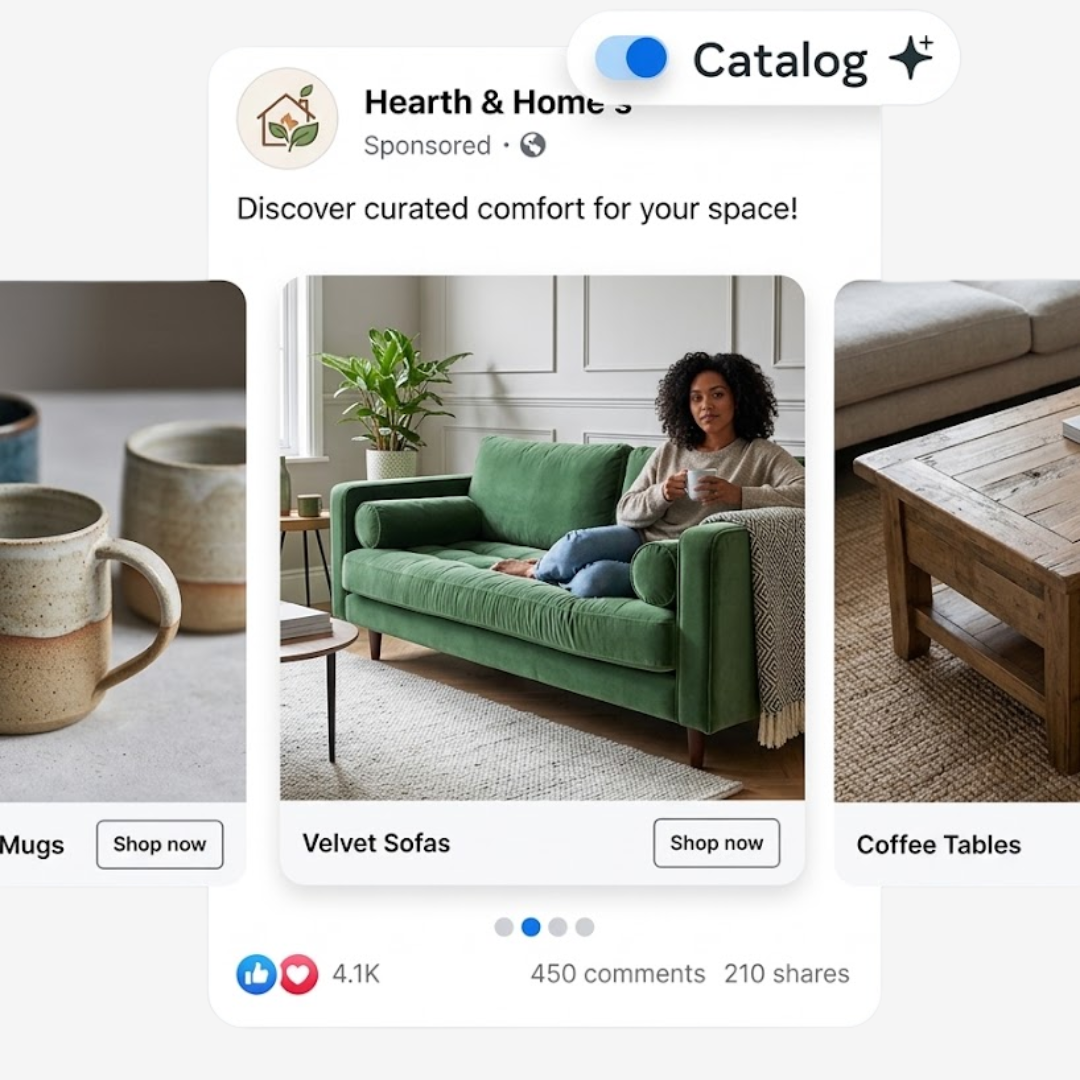
A useful research group might include:
Three to five direct competitors
One or two larger brands in the category
A few brands with a similar audience or offer
Competitors at different price points
Keeping the list focused makes later comparisons much easier. If ten brands all lead with customer testimonials or promote the same product benefit, that pattern becomes easier to spot.
Once the competitor set is clear, the next step is finding the right advertisers inside Meta’s library.
Step 2: Search by Advertiser or Relevant Keyword
Open the Ad Library, select the country being researched, choose the appropriate ad category, and search for the competitor by advertiser name. Meta currently allows searches by keyword or advertiser for ads running across its technologies.
Starting with the advertiser name gives a cleaner view of one brand’s current activity. Look at the campaign mix as a whole before opening individual ads. Notice which products appear repeatedly, how many creative variations are running, and which offers keep showing up.
Keyword searches are useful after that first pass. A category term such as “personalized necklace,” “meal delivery,” or “wedding catering” can surface advertisers that were not already on the competitor list.
That broader search can uncover new brands worth tracking. The next job is narrowing the results so the research stays relevant.
Step 3: Filter the Results Before Analyzing Them
A large result set can hide the useful ads. Filters help reduce the noise and make comparisons more consistent.
Meta’s Ad Library tools support distinctions such as ad status, country, media type, and publisher platform in supported searches. Its API also recognizes platforms including Facebook, Instagram, Messenger, Threads, and Audience Network.
For practical competitor research, filters can help answer specific questions. A video-only search can reveal how brands approach short-form creative. Looking at one market can show how offers change by region. Active ads can give a clearer picture of what competitors are running now.
Once the search is focused, avoid judging ads one at a time. Start by looking for repetition.
Step 4: Look for Patterns Across the Active Ads
One ad says very little about a competitor’s strategy. Ten ads can start to tell a story.
Scan the full set before taking detailed notes. Pay attention to what keeps appearing across different creatives. A competitor may repeatedly feature one bestseller, use the same customer problem in several hooks, or keep one offer in place as the visuals change around it.
Useful patterns to watch for include:
Products receiving the most promotion
Repeated opening hooks
Common customer problems
Recurring offers
Frequently used creative formats
Similar calls to action
Multiple versions of the same concept
Repetition does not prove that an idea is profitable. It does show where the advertiser is putting attention and testing effort.
After those patterns become visible, individual ads are much easier to study in detail.
Step 5: Open Individual Ads and Break Down the Creative
Now move closer. Instead of asking if an ad “looks good,” break it into parts that can be compared with other ads.
Start with the opening. For a video, look at the first few seconds. For an image, look at the first message the eye lands on. Then follow the ad through to the offer and call to action.
A simple breakdown can cover:
Hook: What gets attention first?
Problem: What customer need is being addressed?
Product: What is being promoted?
Benefit: What reason is given to care?
Proof: Are reviews, testimonials, numbers, or demonstrations used?
Offer: Is there a discount, bundle, gift, trial, or other incentive?
CTA: What action comes next?
This makes Facebook ad competitor analysis much more useful because ads can be compared using the same criteria instead of relying on general impressions.
The creative only explains part of the strategy, though. The page after the click can reveal what the advertiser expects the visitor to do next.
Step 6: Follow the Ad to the Landing Page
Where possible, follow the destination and compare it with the ad that brought the visitor there.
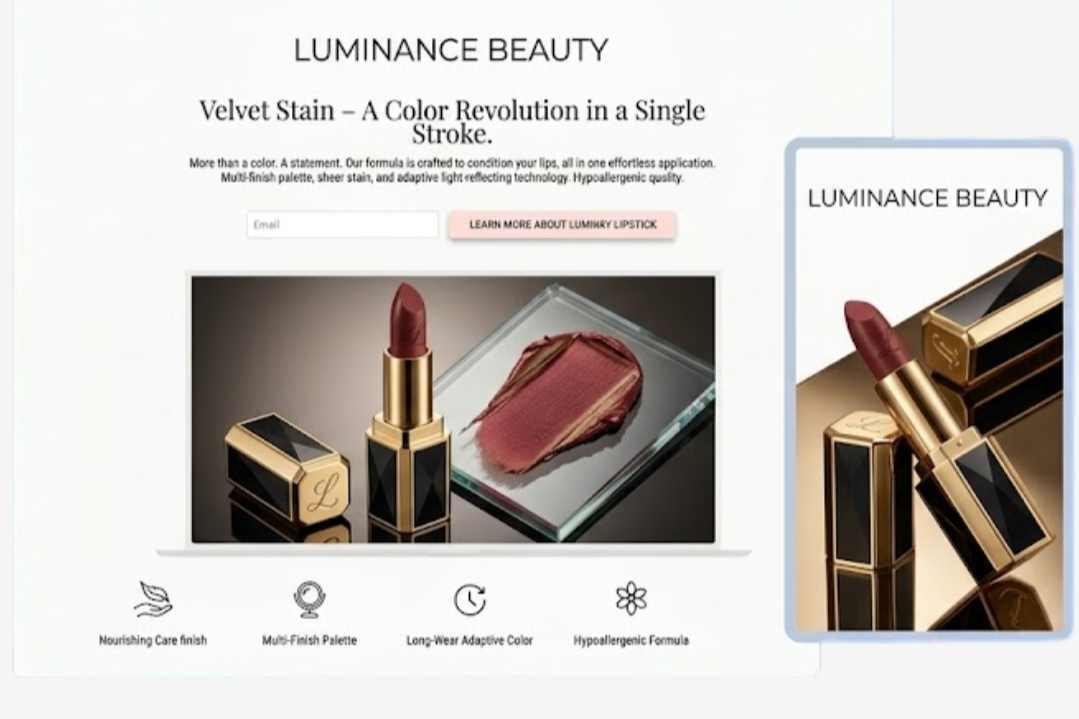
Check if the offer carries through. Look at the headline, product shown, pricing, social proof, and call to action. A promotion in the ad should be easy to find after the click. A product demonstration should lead somewhere that gives the shopper enough information to continue considering that product.
Also note the type of page being used. Competitors may send traffic to:
A product page
A collection page
A dedicated campaign page
A lead form
A booking page
A quiz
The destination can provide clues about the amount of intent the advertiser expects from the click. A direct product page assumes a different stage of the buying journey from an educational quiz or consultation form.
At this point, the research has moved beyond looking at ads. It is starting to reveal the competitor’s funnel.
Step 7: Record the Findings in One Place
Patterns are easy to forget after several competitor searches. A simple research sheet keeps the useful details together and makes changes easier to notice later.
There is no need to record every element of every ad. Focus on information that can support a future decision, such as:
| What to Track | What to Note |
|---|---|
| Competitor | Brand or Page name |
| Start date | When delivery began |
| Creative format | Video, image, carousel |
| Hook | First message or visual |
| Product | Main item or service promoted |
| Offer | Discount, bundle, gift, trial |
| Main benefit | Key selling point |
| CTA | Action requested |
| Landing page | Destination type |
| Notes | Patterns or useful observations |
Once several competitors have been documented in the same format, individual ads stop being the main focus. The more valuable question becomes what the category is doing repeatedly and where there may be room to try something different.
Read more: 5 Facebook Ads AI Tools to Solve 90% of Problems
Final Action Plan: Turn Competitor Research Into Better Ad Tests
The research only becomes useful once it leads to a clear next move. Instead of saving dozens of ads and leaving them in a folder, turn the strongest patterns into a short testing plan.
Start by choosing three to five competitors that are worth tracking. Review their active ads on a regular schedule and record the same details every time. Focus on the parts that can actually shape a campaign, such as hooks, offers, creative formats, landing pages, and calls to action.
Then turn those findings into original tests:
Pick one recurring hook and create a fresh version for the brand
Test one offer that appears often across the category
Try a creative format competitors use consistently
Improve one landing page element that feels weak in the current funnel
Track the result against the existing campaign
Avoid changing everything at once. One clear test makes it easier to see what actually influenced performance.
A simple workflow can look like this:
Research competitors → Spot repeated patterns → Choose one idea → Build an original test → Measure the result → Review again
That keeps competitor research practical. The goal is not to follow what other brands are doing step by step. It is to use their activity as a source of signals, then test what makes sense for the business.
Common Facebook Ads Library Research Mistakes
The Facebook Ads Library can reveal a lot about how competitors advertise, but it can also create the wrong impression if the research is taken too literally. That is why the strongest research stays focused on patterns instead of assumptions. A few mistakes tend to cause the most confusion.
Assuming a Long-Running Ad Must Be Profitable
An ad that has been active for several weeks deserves attention, but its age does not prove strong performance. It may be running on a small budget, serving a narrow audience, or sitting inside a broader testing structure.
Use longevity as a signal to investigate. Then look for supporting clues such as repeated variations, similar hooks, or the same offer appearing across several creatives.
Copying a Competitor Too Closely
Finding an interesting hook or creative format can make imitation tempting. That usually produces weak research and even weaker brand positioning.
A better approach is to work out why the idea may be useful. A competitor using customer demonstration videos may suggest that buyers need to see the product in action. The test should then answer that same need with original creative, messaging, and brand context.
Looking at One Ad in Isolation
A single ad rarely says much about the wider campaign. It may be a new test, an old evergreen creative, or one variation among dozens.
Look across the advertiser’s active ads first. Repeated products, offers, formats, and messages provide much stronger clues than one piece of creative on its own.
Ignoring the Landing Page
The ad gets the click, but the landing page shows how the competitor tries to turn that interest into a sale or lead.
Stopping the research at the creative means missing details such as pricing, social proof, guarantees, product bundles, page structure, and the next call to action. Studying both sides gives a much clearer view of the funnel.
Treating Ad Volume as Proof of Market Share
A competitor running many creatives may have a large budget, or it may simply be testing aggressively. The library does not provide enough commercial data to know which explanation is correct.
Ad volume is best used to understand testing behavior and product focus. It should not be treated as evidence of revenue or market dominance.
Collecting Ads Without Recording the Insight
Saving screenshots can feel productive until the folder fills up and no one remembers why an ad was saved.
For every useful example, record the reason it stood out. That might be the opening hook, offer structure, testimonial format, landing page, or repeated customer problem. A short note turns an interesting ad into something that can support a future test.
Researching Competitors Only Once
Competitor advertising changes with new products, seasonal campaigns, promotions, and creative testing. A one-time review gives only a snapshot.
Checking the same competitors at regular intervals makes changes easier to see. New offers become obvious, old creative disappears, and repeated themes begin to stand out.
The aim is not to know everything competitors are doing. It is to collect enough reliable signals to make better decisions about what deserves testing next.
How Often Should Competitor Ads Be Reviewed?
Competitor ads should be reviewed often enough to catch meaningful changes without turning research into a daily habit. For most brands, a monthly check works well. Fast-moving categories, seasonal campaigns, or highly competitive markets may need a review every one or two weeks.
The goal is to compare what changed since the last review. Look for new offers, fresh creative formats, products receiving more attention, and ads that have disappeared.
During major sales periods or product launches, more frequent checks can help. A simple recurring schedule keeps the research useful and makes long-term patterns much easier to spot.
Ready to Turn Competitor Insights Into Smarter Campaigns?
Competitor research is useful when it leads to better testing, stronger creative, and clearer campaign decisions. Gray Bay Marketing helps businesses turn those insights into paid media strategies built around real performance data.
As a paid media agency, we manage Meta and Google campaigns with a focus on creative testing, audience strategy, conversion tracking, and lead quality. Our broader digital marketing services also include Google Ads management and LLM SEO services for brands that want paid and organic channels working together.
Need a clearer paid media strategy? Work with Gray Bay Marketing to turn research into campaigns that are easier to test, measure, and improve.
FAQs
Why can’t I see how much a competitor is spending on ads?
The library does not show exact daily budgets for standard commercial campaigns. It can show which ads are active and how long they have been running, but spend data is limited to certain regulated ad categories.
What should I look for when reviewing Facebook competitor ads?
When reviewing Facebook competitor ads, focus on recurring products, opening hooks, video styles, customer problems, offers, landing pages, and how long certain creatives remain active. These details can give a clearer picture of where competitors are putting their attention.
What is Meta Ads Library competitor research?
Meta Ads Library competitor research is the process of studying publicly available ads from other brands to understand their creative approach, messaging, offers, product focus, and campaign patterns. It helps organize competitive insights without requiring access to another advertiser’s account.
How can I tell if a competitor’s ad is actually performing well?
There is no direct way to see ROAS, cost per lead, or conversion rate. A long-running ad may be worth studying, but it should be treated as a clue rather than proof of strong performance.
Why do I see so many versions of the same competitor ad?
Brands often test different hooks, images, videos, headlines, or offers around the same product. Repeated variations can reveal which parts of the campaign they are actively testing.
What should I look at first when a competitor has dozens of active ads?
Start with patterns. Look for products that appear repeatedly, common offers, recurring hooks, similar creative formats, and the landing pages receiving the most attention. This is faster than analyzing every ad one by one.
Can I see exactly who a competitor is targeting?
Not for standard commercial campaigns. The library does not reveal the complete audience setup inside another advertiser’s account. Messaging, creative style, and product positioning can still offer clues about the type of customer they are trying to reach.
Why can’t I find a competitor’s ad that I recently saw?
The campaign may have ended, changed status, or been shown under a different Page or advertiser name. Search variations of the brand name and check the selected country, category, and filters.
Should I copy an ad if a competitor has been running it for months?
No. A better approach is to identify the idea behind it. Look at the customer problem, hook, creative format, or offer, then create an original test that fits the brand and audience.
How do I avoid wasting hours researching competitor ads?
Set a clear question before opening the library. For example, research only offers, video hooks, landing pages, or seasonal campaigns during one session. A focused research sheet also keeps the process manageable.
What if every competitor seems to be using the same type of ad?
That can be useful information. It may show a common category approach, but it can also reveal an opportunity to test a different message, format, customer problem, or offer instead of blending in.
What should I do with competitor research after I collect it?
Turn the strongest observations into test ideas. Pick one variable at a time, such as a hook, offer, creative format, or landing page element, and build an original version. Then measure it against the current campaign instead of assuming the competitor’s approach will work.